
Submitting Leave Requests
Option 1: Using Laptop/Desktop
- Log in to Dayforce by typing username and
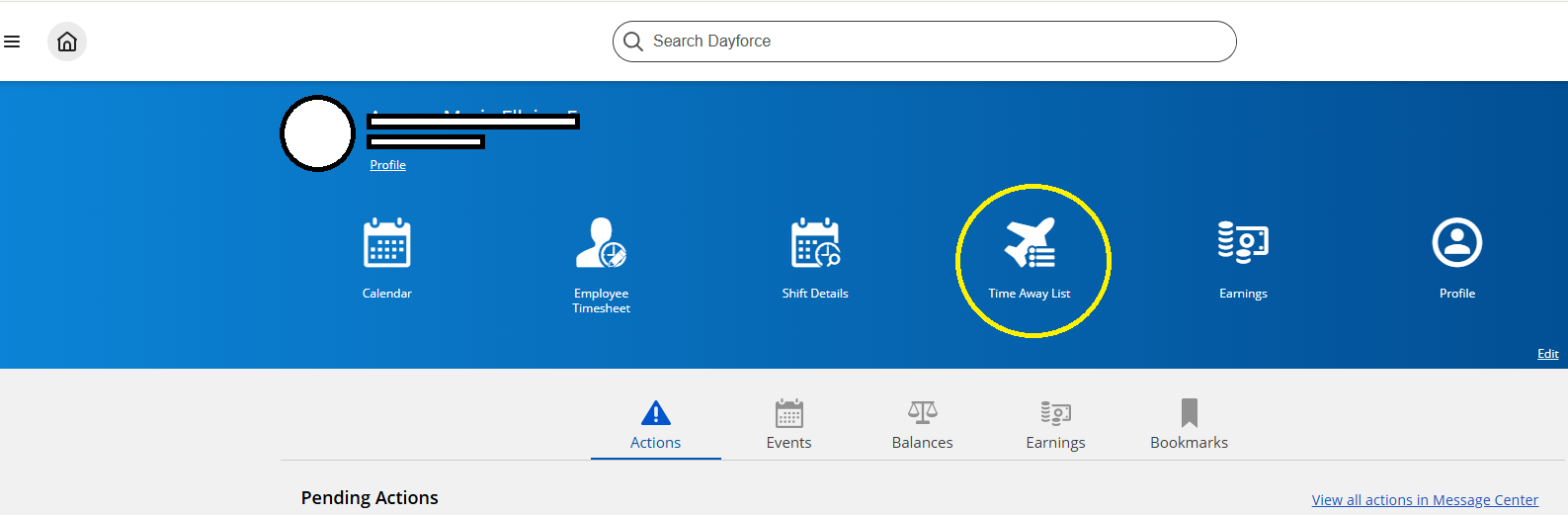
passowrd.password. - Click the "Time Away List" icon.
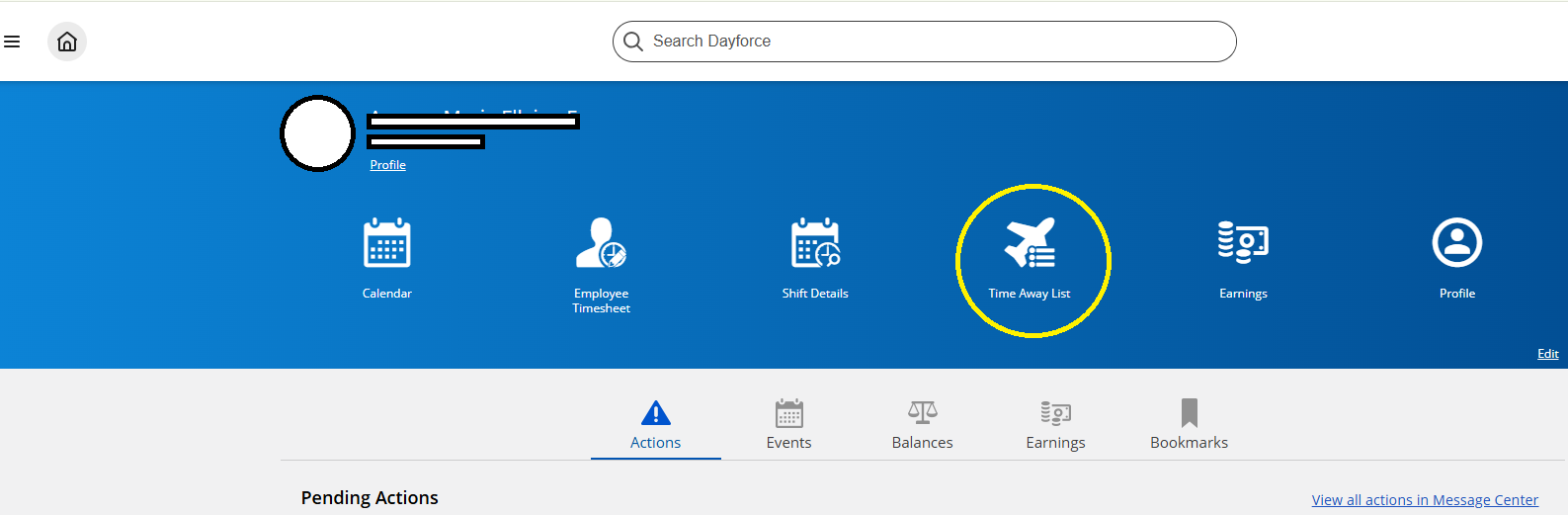
- Click the "Request Time Off" icon.

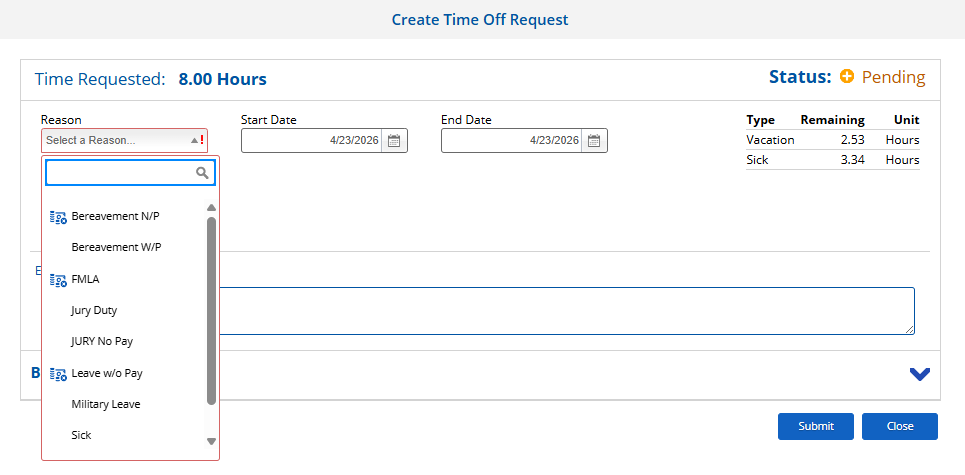
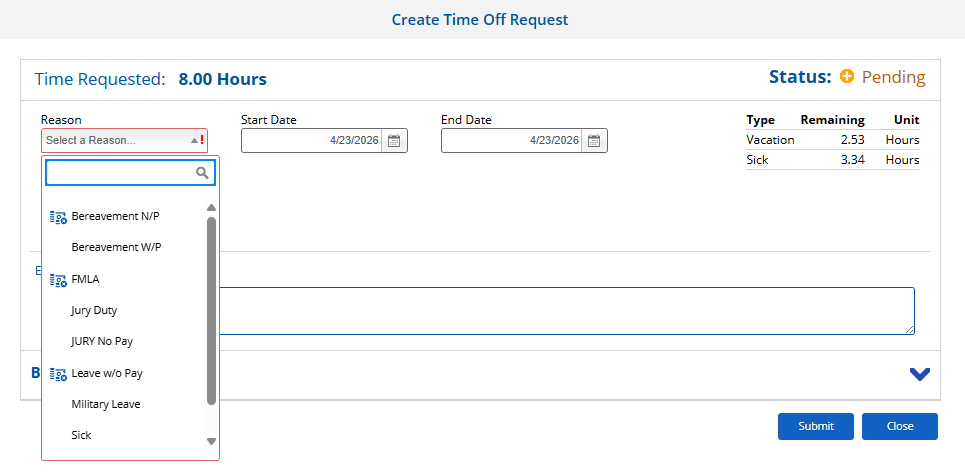
- Select Reason, start Date, End date and Type of Request.
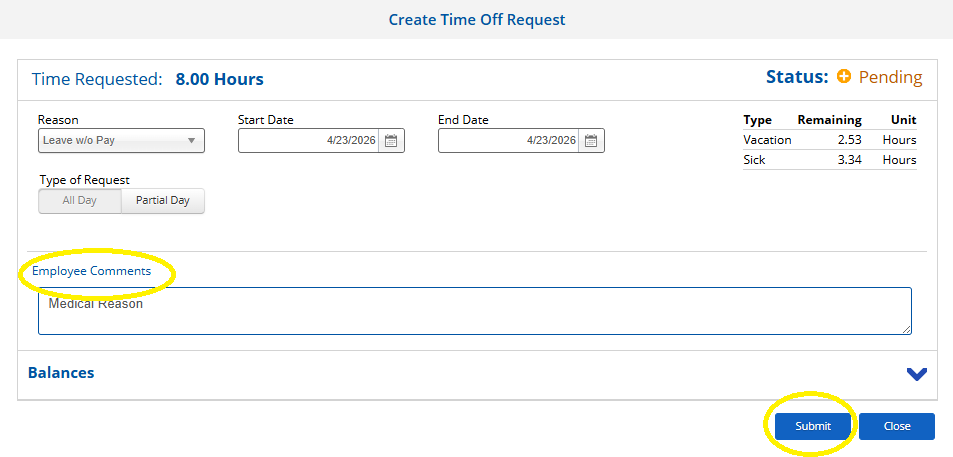
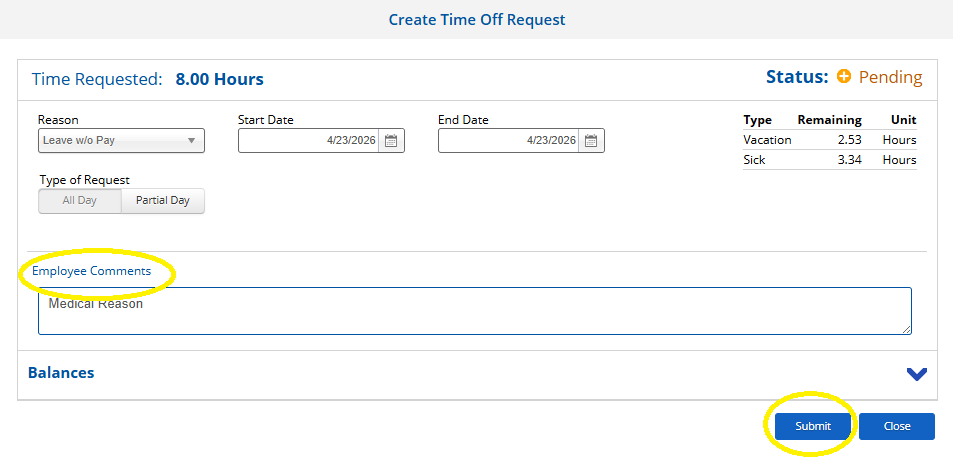
- Employee can input in the employee comment section the reason or purpose of the leave request and then click "Submit."
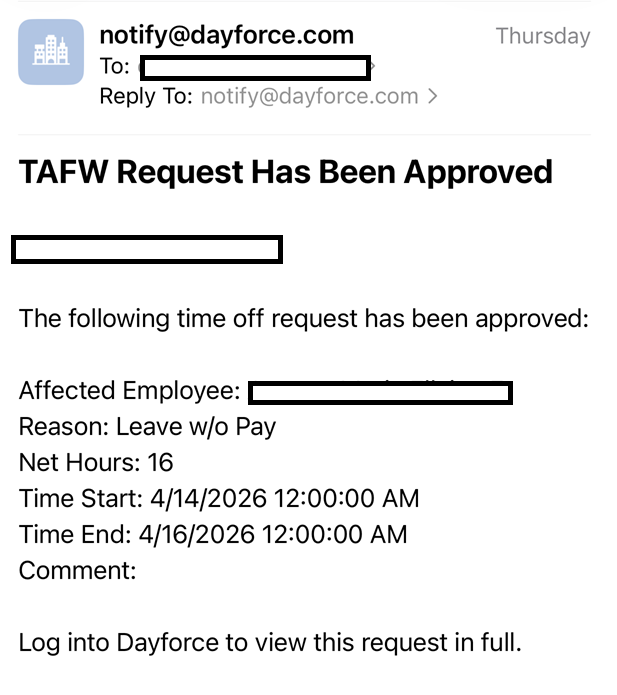
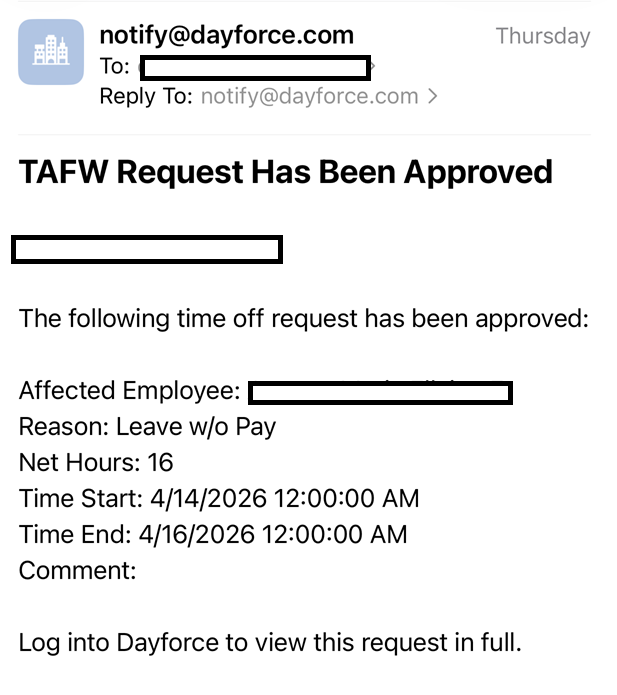
- Employee will received an email once leave request has been approved.

Option 2: Using Mobile Device
1.