
Leave Approvals
OPTION 1:
1. Click the "Approval" icon.

2. Click "Action" to view pending leave approvals.
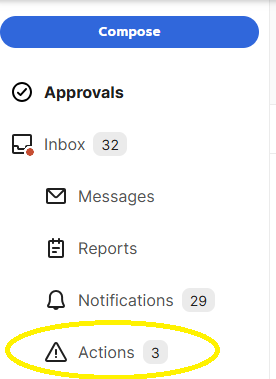
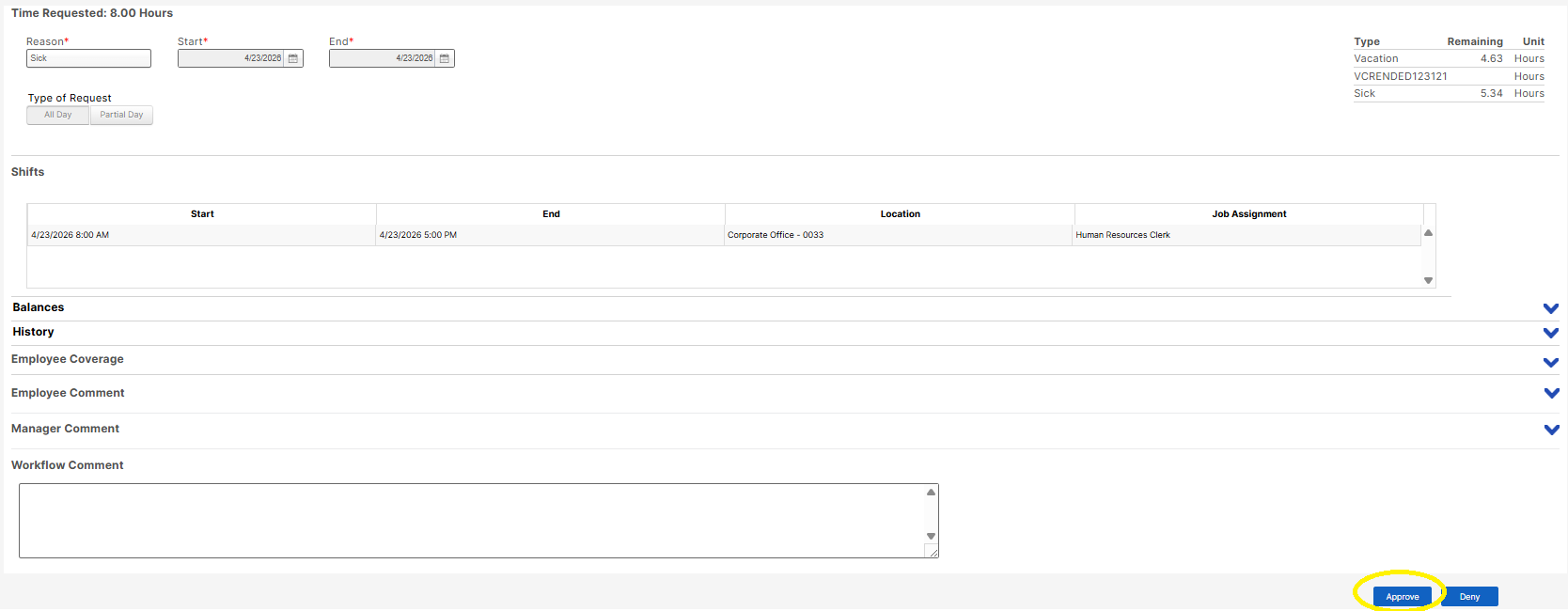
3. Click the leave request that you want to open.

4. Click the "Approve" icon to grant the leave request.
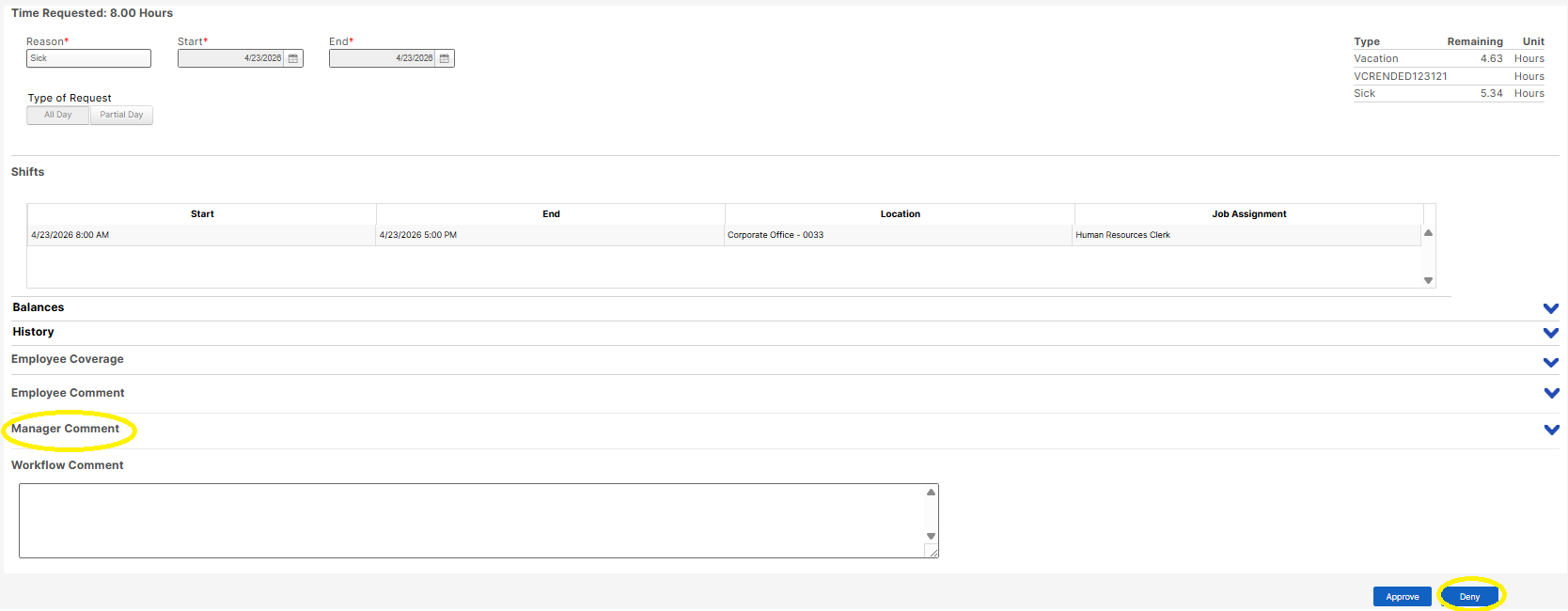
5. If Denied , click the " Manager comment" to input reason of denying the request and then click the" Deny" icon.
OPTION 2:
1. Click the "Approval" icon.
2. Click the "Approve" icon to grant the leave request.

5. If Denied , click the " Manager comment" to input reason of denying the request then click the" Deny" icon.